Open and edit Publisher files online. Free.
Microsoft Publisher has been retired, but your flyers, newsletters and certificates don't have to be. Free Pub Editor opens .pub files right in your browser and keeps them editable.
No download. No sign-up. Your files never leave your device.
Opens files from every Publisher since 2002
- Publisher 2002
- 2003
- 2007
- 2010
- 2013
- 2016
- 2019
- 2021
- Microsoft 365

Open your .pub files just as you left them
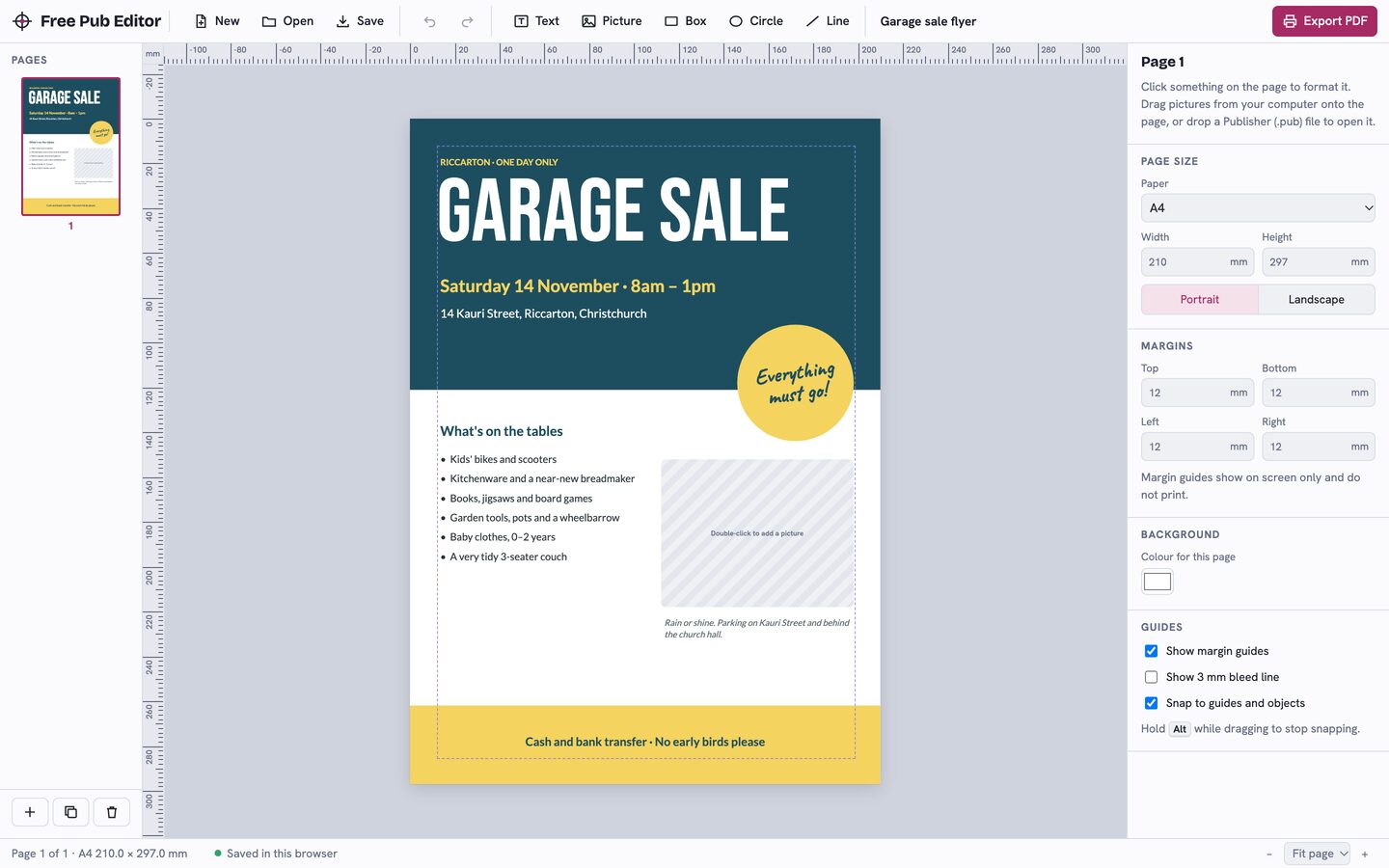
Text boxes, pictures, shapes, lines, tables, master pages and backgrounds open where you put them, with their fonts, colours and borders.
- Double-click text to change it, swap pictures, move boxes and change colours, just like in Publisher.
- Pictures saved in the old Windows WMF and EMF formats are redrawn, so classic clip art still shows up.

Your files never leave your device
Everything runs in your browser. Newsletters with children's names, staff details or invoices stay on your device.
Your .pub file is read by code running in your own browser. It is never sent to our server or anyone else, which makes it safe for school, church and business documents.
Read our privacy policyMade for the people who used Publisher
Schools, churches, clubs, community groups and small businesses have years of work saved as .pub files. Free Pub Editor is built to bring that work back.
Familiar tools
Rulers in millimetres, margin guides, snapping, layering, multiple pages, undo, and a red marker when text doesn't fit its box.
Old clip art too
Pictures saved in the old Windows WMF and EMF formats are redrawn, so classic clip art still shows up.
Print-ready PDF
Export at the exact page size with colours intact, ready for your office printer or a print shop.
Templates to start fresh
A flyer, a two-page newsletter, an A3 poster, a certificate and a business card, all ready to edit.
Browse templates in the editor


From .pub file to print in three steps
- Open your .pub fileClick Open in the editor, or drag the file onto the page. It's read on your computer, not uploaded.
- Edit anythingDouble-click text to change it, swap pictures, move boxes and change colours, just like in Publisher.
- Print or save as PDFClick Export PDF for a print-ready file at your exact page size, from A5 flyers to A3 posters.
Answers about Publisher files
Plain-English help for the questions people ask most since Publisher's retirement. See all posts.
What replaced Microsoft Publisher?
Microsoft's suggested apps can't open .pub files. Here's what actually does.
Read the answer How-toHow to open a .pub file on a Mac
Publisher never ran on a Mac. The free way to open .pub files in Safari or Chrome, plus Chromebook and iPad.
Read the answer How-toHow to convert a .pub file to Word
Three honest routes from .pub to DOCX, and what usually breaks along the way.
Read the answerFrequently asked questions
Everything you need to know about opening, editing and converting Publisher files. Can't find an answer? Email hello@freepubeditor.com.
Is Free Pub Editor really free?
Can I open a .pub file without Microsoft Publisher?
Are my files uploaded anywhere?
Which versions of Publisher are supported?
How do I turn a .pub file into a PDF?
Will my file look exactly the same?
Does it work on a Mac, Chromebook or iPad?
Microsoft Publisher has been retired. What happens to my files?
Got a .pub file you can't open?
Open it now. It takes a few seconds, and nothing is uploaded.
Open the editor